/* ═══════════════════════════════════════
   ROMAJA — Pages: Home, Tienda, Producto, Sobre Mí, Contacto, FAQ
═══════════════════════════════════════ */

/* ══════════ HOME ══════════ */
const PageHome = () => {
  const { navigate } = useNav();
  const isMobile = useMobile();
  const featured = PRODUCTS.filter(p => p.destacado);
  const newProducts = [...PRODUCTS]
    .sort((a, b) => new Date(b.created_at || 0) - new Date(a.created_at || 0) || b.id - a.id)
    .slice(0, 4);

  return (
    <div style={{ background: T.bg }}>

      {/* HERO — imagen horizontal recomendada: 800×500px o similar */}
      <div style={{ display: "grid", gridTemplateColumns: isMobile ? "1fr" : "5fr 4fr" }}>
        <div style={{ background: "#d8c4a8", overflow: "hidden", height: isMobile ? 260 : 460 }}>
          <img
            src={(window.SITE_CONFIG && window.SITE_CONFIG.hero_imagen) || "uploads/WhatsApp Image 2026-04-24 at 11.08.42 AM.jpeg"}
            alt="Romaja — Crochet y Bisutería hecha a mano"
            style={{ width: "100%", height: "100%", objectFit: "cover", objectPosition: "center top", display: "block" }}
          />
        </div>

        <div style={{ padding: isMobile ? "28px 20px" : "48px 44px", display: "flex", flexDirection: "column", justifyContent: "center", gap: 16, background: T.bg }}>
          <div style={{ fontSize: 10, letterSpacing: "0.24em", textTransform: "uppercase", color: T.primary }}></div>
          <h1 style={{ fontFamily: "'DM Serif Display', serif", fontSize: isMobile ? 38 : 52, lineHeight: 1.05, color: T.dark, textWrap: "balance" }}>
            Tejido con<br /><span style={{ color: T.primary }}>alma</span>
          </h1>
          <p style={{ fontSize: 14, lineHeight: 1.85, color: T.mid, maxWidth: 340 }}>
            Piezas únicas de crochet y bisutería artesanal, hechas a mano en Costa Rica. Cada creación tiene su propia historia.
          </p>
          <div style={{ display: "flex", gap: 12, marginTop: 4, flexWrap: "wrap" }}>
            <button onClick={() => navigate("/tienda")} style={{ background: T.primary, color: "#fff", border: "none", padding: "13px 28px", fontSize: 11, letterSpacing: "0.14em", textTransform: "uppercase", cursor: "pointer", fontFamily: "'Lato', sans-serif", borderRadius: 2 }}>
              Ver Tienda
            </button>
            <button onClick={() => navigate("/sobre-mi")} style={{ background: "transparent", color: T.mid, border: `1px solid ${T.border}`, padding: "13px 28px", fontSize: 11, letterSpacing: "0.14em", textTransform: "uppercase", cursor: "pointer", fontFamily: "'Lato', sans-serif", borderRadius: 2 }}>
              Nuestra Historia
            </button>
          </div>
        </div>
      </div>

      {/* CATEGORÍAS */}
      <div style={{ background: T.bgSoft }}>
      <div style={{ maxWidth: 1200, margin: "0 auto", padding: isMobile ? "40px 20px 24px" : "72px 32px 40px" }}>
        <SectionHeader eyebrow="Explorar" title="¿Qué buscás?" center />
        <div style={{ display: "grid", gridTemplateColumns: isMobile ? "1fr" : "1fr 1fr", gap: 16, maxWidth: 800, margin: "0 auto" }}>
          {Object.entries(CATEGORIES).map(([key, cat]) => {
            const hasImg = key === "crochet" || key === "bisuteria";
            const bgImg = key === "crochet" ? "uploads/crochet.jpg" : "uploads/bisuteria.jpeg";
            return (
            <div key={key} onClick={() => navigate(`/tienda/${key}`)}
              style={{
                cursor: "pointer",
                background: hasImg
                  ? `linear-gradient(to bottom, rgba(0,0,0,0.68) 0%, rgba(0,0,0,0) 100%), url('${bgImg}') center/cover no-repeat`
                  : cat.bg,
                padding: "44px 40px", borderRadius: 2, position: "relative", overflow: "hidden", transition: "transform 0.2s, box-shadow 0.2s"
              }}
              onMouseEnter={e => { e.currentTarget.style.transform = "translateY(-3px)"; e.currentTarget.style.boxShadow = "0 10px 28px rgba(58,44,30,0.1)"; }}
              onMouseLeave={e => { e.currentTarget.style.transform = "none"; e.currentTarget.style.boxShadow = "none"; }}>
              <div style={{ fontFamily: "'DM Serif Display', serif", fontSize: 30, color: hasImg ? "#fff" : T.dark, marginBottom: 12 }}>{cat.label}</div>
              <div style={{ display: "flex", flexWrap: "wrap", gap: 6 }}>
                {cat.subcategories.map(s => (
                  <span key={s} style={{ fontSize: 10, letterSpacing: "0.08em", textTransform: "capitalize", background: hasImg ? "rgba(255,255,255,0.2)" : "rgba(255,255,255,0.6)", color: hasImg ? "rgba(255,255,255,0.85)" : T.mid, padding: "3px 10px", borderRadius: 20 }}>{s}</span>
                ))}
              </div>
              <div style={{ marginTop: 20, fontSize: 12, color: hasImg ? "rgba(255,255,255,0.85)" : cat.color, letterSpacing: "0.1em" }}>Ver todo →</div>
            </div>
            );
          })}
        </div>
      </div>
      </div>

      {/* PRODUCTOS DESTACADOS */}
      {featured.length > 0 && (
        <div style={{ maxWidth: 1200, margin: "0 auto", padding: isMobile ? "24px 20px" : "40px 32px" }}>
          <div style={{ display: "flex", justifyContent: "space-between", alignItems: "flex-end", marginBottom: 28 }}>
            <SectionHeader eyebrow="Lo más querido" title="Productos Destacados" />
            <button onClick={() => navigate("/tienda")} style={{ background: "none", border: "none", cursor: "pointer", fontSize: 12, color: T.primary, letterSpacing: "0.1em", textTransform: "uppercase", fontFamily: "'Lato', sans-serif" }}>Ver Todo →</button>
          </div>
          <div style={{ display: "grid", gridTemplateColumns: isMobile ? "1fr 1fr" : "repeat(3, 1fr)", gap: isMobile ? 14 : 24 }}>
            {featured.slice(0, 9).map(p => <ProductCard key={p.id} product={p} />)}
          </div>
        </div>
      )}

      {/* BANNER PERSONALIZACIÓN */}
      <div style={{ background: T.dark, margin: isMobile ? "32px 0" : "48px 0" }}>
        <div style={{ maxWidth: 1200, margin: "0 auto", padding: isMobile ? "0 0" : "0 32px", display: "grid", gridTemplateColumns: isMobile ? "1fr" : "1fr 1fr" }}>
          <div style={{ padding: isMobile ? "36px 20px" : "56px 0 56px", display: "flex", flexDirection: "column", justifyContent: "center", gap: 16 }}>
            <div style={{ fontSize: 10, letterSpacing: "0.22em", textTransform: "uppercase", color: T.primary }}>Pedidos Especiales</div>
            <h3 style={{ fontFamily: "'DM Serif Display', serif", fontSize: 34, color: "#f0e8dc", lineHeight: 1.2 }}>Diseñá tu pieza <em style={{ fontStyle: "italic", color: T.primary }}>única</em></h3>
            <p style={{ fontSize: 13, color: "rgba(240,232,220,0.55)", lineHeight: 1.85, maxWidth: 380 }}>
              ¿Querés algo especial? Hacemos pedidos personalizados con los colores, materiales y diseño que vos elijas.
            </p>
            <a href={WHATSAPP_LINK} target="_blank" rel="noreferrer"
              style={{ display: "inline-flex", alignItems: "center", gap: 8, alignSelf: "flex-start", background: "#25D366", color: "#fff", padding: "12px 24px", borderRadius: 2, fontSize: 11, textDecoration: "none", letterSpacing: "0.12em", textTransform: "uppercase", marginTop: 8 }}>
              <svg width="14" height="14" viewBox="0 0 24 24" fill="currentColor"><path d="M17.472 14.382c-.297-.149-1.758-.867-2.03-.967-.273-.099-.471-.148-.67.15-.197.297-.767.966-.94 1.164-.173.199-.347.223-.644.075-.297-.15-1.255-.463-2.39-1.475-.883-.788-1.48-1.761-1.653-2.059-.173-.297-.018-.458.13-.606.134-.133.298-.347.446-.52.149-.174.198-.298.298-.497.099-.198.05-.371-.025-.52-.075-.149-.669-1.612-.916-2.207-.242-.579-.487-.5-.669-.51-.173-.008-.371-.01-.57-.01-.198 0-.52.074-.792.372-.272.297-1.04 1.016-1.04 2.479 0 1.462 1.065 2.875 1.213 3.074.149.198 2.096 3.2 5.077 4.487.709.306 1.262.489 1.694.625.712.227 1.36.195 1.871.118.571-.085 1.758-.719 2.006-1.413.248-.694.248-1.289.173-1.413-.074-.124-.272-.198-.57-.347m-5.421 7.403h-.004a9.87 9.87 0 01-5.031-1.378l-.361-.214-3.741.982.998-3.648-.235-.374a9.86 9.86 0 01-1.51-5.26c.001-5.45 4.436-9.884 9.888-9.884 2.64 0 5.122 1.03 6.988 2.898a9.825 9.825 0 012.893 6.994c-.003 5.45-4.437 9.884-9.885 9.884m8.413-18.297A11.815 11.815 0 0012.05 0C5.495 0 .16 5.335.157 11.892c0 2.096.547 4.142 1.588 5.945L.057 24l6.305-1.654a11.882 11.882 0 005.683 1.448h.005c6.554 0 11.89-5.335 11.893-11.893a11.821 11.821 0 00-3.48-8.413z"/></svg>
              Consultar por WhatsApp
            </a>
          </div>
          {!isMobile && <div style={{ overflow: "hidden" }}>
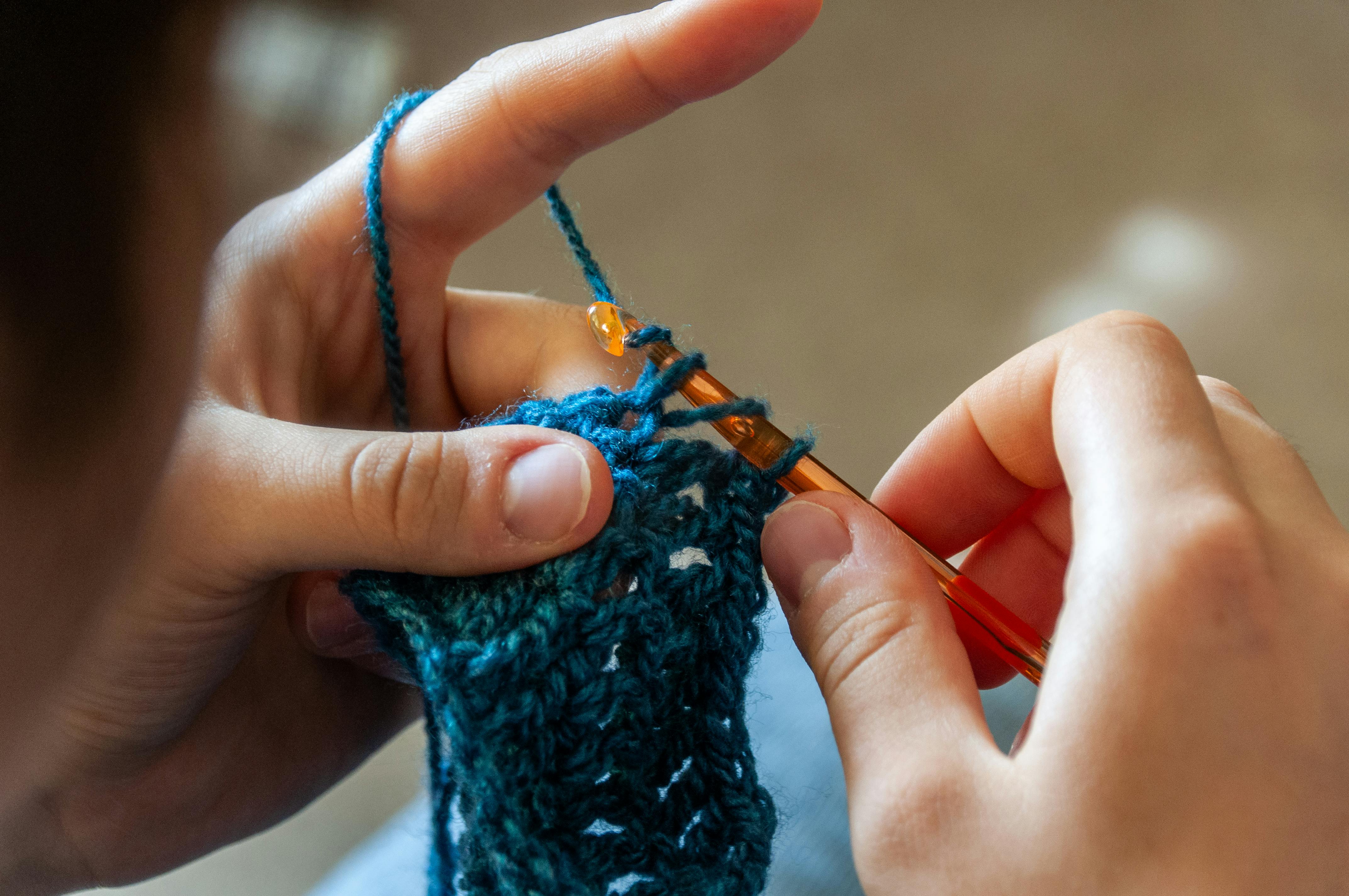
            <img src="/uploads/creacion.jpg" alt="Proceso de creación Romaja" style={{ width: "100%", height: "100%", objectFit: "cover", objectPosition: "center", display: "block" }} />
          </div>}
        </div>
      </div>

      {/* NOVEDADES */}
      <div style={{ maxWidth: 1200, margin: "0 auto", padding: isMobile ? "24px 20px 48px" : "40px 32px 72px" }}>
        <div style={{ display: "flex", justifyContent: "space-between", alignItems: "flex-end", marginBottom: 28 }}>
          <SectionHeader eyebrow="Recién llegado" title="Novedades" />
          <button onClick={() => navigate("/tienda")} style={{ background: "none", border: "none", cursor: "pointer", fontSize: 12, color: T.primary, letterSpacing: "0.1em", textTransform: "uppercase", fontFamily: "'Lato', sans-serif" }}>Ver Todo →</button>
        </div>
        <div style={{ display: "grid", gridTemplateColumns: isMobile ? "1fr 1fr" : "repeat(4, 1fr)", gap: isMobile ? 14 : 20 }}>
          {newProducts.map(p => <ProductCard key={p.id} product={p} />)}
        </div>
      </div>

    </div>
  );
};

/* ══════════ TIENDA ══════════ */
const PageTienda = ({ catFilter, subFilter }) => {
  const { navigate, route } = useNav();
  const isMobile = useMobile();
  const [activeCat, setActiveCat] = React.useState(catFilter || "all");
  const [activeSub, setActiveSub] = React.useState(subFilter || "all");
  const [sort, setSort] = React.useState("default");
  const [search, setSearch] = React.useState("");

  React.useEffect(() => { setActiveCat(catFilter || "all"); setActiveSub(subFilter || "all"); setSearch(""); }, [catFilter, subFilter]);

  let filtered = PRODUCTS;
  if (search.trim()) filtered = filtered.filter(p => p.name.toLowerCase().includes(search.trim().toLowerCase()));
  if (activeCat !== "all") filtered = filtered.filter(p => p.category === activeCat);
  if (activeSub !== "all") filtered = filtered.filter(p => p.sub === activeSub);
  if (sort === "asc")  filtered = [...filtered].sort((a,b) => a.price - b.price);
  if (sort === "desc") filtered = [...filtered].sort((a,b) => b.price - a.price);

  // CATEGORIES[activeCat] puede no existir si la URL trae una categoría
  // inválida (link viejo, typo, bot) — sin este chequeo, tirar de
  // .subcategories sobre undefined rompía toda la página.
  const currentSubs = (activeCat !== "all" && CATEGORIES[activeCat]) ? CATEGORIES[activeCat].subcategories : [];

  return (
    <div style={{ background: T.bg, minHeight: "70vh" }}>
      <div style={{ maxWidth: 1200, margin: "0 auto", padding: isMobile ? "28px 16px" : "48px 32px" }}>
        <Breadcrumb items={[
          { label: "Inicio", path: "/" },
          { label: "Tienda", path: "/tienda" },
          ...(activeCat !== "all" && CATEGORIES[activeCat] ? [{ label: CATEGORIES[activeCat].label }] : []),
          ...(activeSub !== "all" ? [{ label: activeSub }] : []),
        ]} />

        {/* Filtros */}
        <div style={{ display: "flex", flexDirection: isMobile ? "column" : "row", justifyContent: "space-between", alignItems: "flex-start", marginBottom: 32, gap: 16 }}>
          <div>
            <SectionHeader eyebrow={`${filtered.length} productos`} title="Tienda" />
            <div style={{ display: "flex", gap: 8, flexWrap: "wrap" }}>
              <button onClick={() => navigate("/tienda")}
                style={{ background: activeCat === "all" ? T.dark : "transparent", color: activeCat === "all" ? "#fff" : T.mid, border: `1px solid ${activeCat === "all" ? T.dark : T.border}`, padding: "8px 18px", fontSize: 11, letterSpacing: "0.08em", textTransform: "uppercase", cursor: "pointer", fontFamily: "'Lato', sans-serif", borderRadius: 2 }}>Todos</button>
              {Object.entries(CATEGORIES).map(([key, cat]) => (
                <button key={key} onClick={() => navigate(`/tienda/${key}`)}
                  style={{ background: activeCat === key ? cat.color : "transparent", color: activeCat === key ? "#fff" : T.mid, border: `1px solid ${activeCat === key ? cat.color : T.border}`, padding: "8px 18px", fontSize: 11, letterSpacing: "0.08em", textTransform: "uppercase", cursor: "pointer", fontFamily: "'Lato', sans-serif", borderRadius: 2 }}>{cat.label}</button>
              ))}
            </div>
            {currentSubs.length > 0 && (
              <div style={{ display: "flex", gap: 6, marginTop: 10, flexWrap: "wrap" }}>
                <button onClick={() => navigate(`/tienda/${activeCat}`)}
                  style={{ background: activeSub === "all" ? T.primary : "transparent", color: activeSub === "all" ? "#fff" : T.mid, border: `1px solid ${activeSub === "all" ? T.primary : T.border}`, padding: "5px 14px", fontSize: 10, letterSpacing: "0.08em", textTransform: "capitalize", cursor: "pointer", fontFamily: "'Lato', sans-serif", borderRadius: 20 }}>Todas</button>
                {currentSubs.map(s => (
                  <button key={s} onClick={() => navigate(`/tienda/${activeCat}/${s}`)}
                    style={{ background: activeSub === s ? T.primary : "transparent", color: activeSub === s ? "#fff" : T.mid, border: `1px solid ${activeSub === s ? T.primary : T.border}`, padding: "5px 14px", fontSize: 10, letterSpacing: "0.08em", textTransform: "capitalize", cursor: "pointer", fontFamily: "'Lato', sans-serif", borderRadius: 20 }}>{s}</button>
                ))}
              </div>
            )}
          </div>

          <div style={{ display: "flex", alignItems: "center", gap: 12, flexWrap: "wrap" }}>
            <div style={{ position: "relative" }}>
              <input
                type="text" placeholder="Buscar productos…" value={search}
                onChange={e => setSearch(e.target.value)}
                style={{ border: `1px solid ${T.border}`, background: T.bg, color: T.dark, padding: "8px 32px 8px 12px", fontSize: 12, fontFamily: "'Lato', sans-serif", borderRadius: 2, outline: "none", width: isMobile ? "100%" : 200 }}
              />
              {search && <button onClick={() => setSearch("")} style={{ position: "absolute", right: 8, top: "50%", transform: "translateY(-50%)", background: "none", border: "none", cursor: "pointer", color: T.light, fontSize: 14, lineHeight: 1 }}>✕</button>}
            </div>
            <div style={{ display: "flex", alignItems: "center", gap: 8 }}>
              <span style={{ fontSize: 12, color: T.light }}>Ordenar:</span>
              <select value={sort} onChange={e => setSort(e.target.value)}
                style={{ border: `1px solid ${T.border}`, background: T.bg, color: T.dark, padding: "8px 12px", fontSize: 12, fontFamily: "'Lato', sans-serif", cursor: "pointer", borderRadius: 2, outline: "none" }}>
                <option value="default">Relevancia</option>
                <option value="asc">Precio: menor a mayor</option>
                <option value="desc">Precio: mayor a menor</option>
              </select>
            </div>
          </div>
        </div>

        {filtered.length === 0 ? (
          <div style={{ textAlign: "center", padding: "80px 0", color: T.light }}>
            <div style={{ fontFamily: "'DM Serif Display', serif", fontSize: 22, marginBottom: 8 }}>Sin resultados</div>
            <div style={{ fontSize: 13 }}>Intentá con otra categoría</div>
          </div>
        ) : (
          <div style={{ display: "grid", gridTemplateColumns: isMobile ? "1fr 1fr" : "repeat(3, 1fr)", gap: isMobile ? 14 : 24 }}>
            {filtered.map(p => <ProductCard key={p.id} product={p} />)}
          </div>
        )}
      </div>
    </div>
  );
};

/* ══════════ DETALLE DE PRODUCTO ══════════ */
const PageProducto = ({ productId }) => {
  const { navigate } = useNav();
  const { addItem } = useCart();
  const isMobile = useMobile();

  React.useLayoutEffect(() => { window.scrollTo(0, 0); }, [productId]);
  const product = PRODUCTS.find(p => p.id === parseInt(productId));
  const [selectedColor, setSelectedColor] = React.useState(0);
  const [selectedSize, setSelectedSize] = React.useState(0);
  const [qty, setQty] = React.useState(1);
  const [added, setAdded] = React.useState(false);
  // OJO: este hook tiene que declararse siempre, ANTES del return condicional
  // de abajo. Si se declara después (como estaba antes), la cantidad de hooks
  // que llama el componente cambia según si hay producto o no, y React explota
  // ("Rendered fewer hooks than expected") al navegar client-side entre un
  // producto válido y uno inexistente — eso dejaba la página en blanco.
  const [activeImg, setActiveImg] = React.useState(0);

  if (!product) return (
    <div style={{ textAlign: "center", padding: "100px 32px" }}>
      <div style={{ fontFamily: "'DM Serif Display', serif", fontSize: 28, color: T.dark, marginBottom: 12 }}>Producto no encontrado</div>
      <button onClick={() => navigate("/tienda")} style={{ background: T.primary, color: "#fff", border: "none", padding: "12px 28px", cursor: "pointer", fontFamily: "'Lato', sans-serif", fontSize: 12 }}>Ir a la Tienda</button>
    </div>
  );

  const sameSub = PRODUCTS.filter(p => p.sub === product.sub && p.id !== product.id).sort(() => Math.random() - 0.5);
  const sameCat = PRODUCTS.filter(p => p.category === product.category && p.sub !== product.sub && p.id !== product.id).sort(() => Math.random() - 0.5);
  const related = [...sameSub, ...sameCat].slice(0, 3);
  const cat = CATEGORIES[product.category];
  const allImages = [product.imagen_url, ...(product.imagenes || [])].filter(Boolean);
  const outOfStock = product.stock <= 0;

  const handleAdd = () => {
    if (outOfStock) return;
    addItem(product, qty, { color: product.colors?.[selectedColor], size: product.sizes?.[selectedSize] });
    setAdded(true);
    setTimeout(() => setAdded(false), 2000);
  };

  return (
    <div style={{ background: T.bg, minHeight: "70vh" }}>
      <div style={{ maxWidth: 1200, margin: "0 auto", padding: isMobile ? "24px 16px" : "48px 32px" }}>
        <Breadcrumb items={[
          { label: "Inicio", path: "/" },
          { label: "Tienda", path: "/tienda" },
          { label: cat.label, path: `/tienda/${product.category}` },
          { label: product.sub, path: `/tienda/${product.category}` },
          { label: product.name },
        ]} />

        <div style={{ display: "grid", gridTemplateColumns: isMobile ? "1fr" : "1fr 1fr", gap: isMobile ? 24 : 64 }}>
          {/* Imagen */}
          <div>
            <div style={{ width: "100%", paddingBottom: "100%", position: "relative", background: product.bg, borderRadius: 2, overflow: "hidden" }}>
              {allImages.length > 0
                ? <img src={allImages[activeImg]} alt={product.name}
                    onError={e => { e.target.style.display = "none"; }}
                    style={{ position: "absolute", inset: 0, width: "100%", height: "100%", objectFit: "cover", objectPosition: "center", display: "block" }} />
                : <div style={{
                    position: "absolute", inset: 0, display: "flex", alignItems: "center", justifyContent: "center",
                    backgroundImage: `repeating-linear-gradient(45deg, transparent, transparent 10px, rgba(0,0,0,0.02) 10px, rgba(0,0,0,0.02) 11px)`,
                    fontSize: 10, color: "rgba(58,44,30,0.2)", fontFamily: "monospace",
                  }}>{product.name}</div>
              }
              <div style={{ position: "absolute", top: 16, left: 16, background: cat.color, color: "#fff", fontSize: 9, letterSpacing: "0.1em", textTransform: "uppercase", padding: "4px 12px", borderRadius: 2 }}>{cat.label}</div>
            </div>
            {allImages.length > 1 && (
              <div style={{ display: "flex", gap: 8, marginTop: 10, flexWrap: "wrap" }}>
                {allImages.map((img, i) => (
                  <div key={i} onClick={() => setActiveImg(i)} style={{
                    width: 60, height: 60, borderRadius: 2, overflow: "hidden", cursor: "pointer",
                    border: `2px solid ${activeImg === i ? T.primary : T.border}`,
                    transition: "border-color 0.15s",
                  }}>
                    <img src={img} alt="" loading="lazy" style={{ width: "100%", height: "100%", objectFit: "cover" }} />
                  </div>
                ))}
              </div>
            )}
          </div>

          {/* Info */}
          <div style={{ display: "flex", flexDirection: "column", gap: 20 }}>
            <div>
              <div style={{ fontSize: 10, letterSpacing: "0.14em", textTransform: "uppercase", color: T.light, marginBottom: 6 }}>{product.sub}</div>
              <h1 style={{ fontFamily: "'DM Serif Display', serif", fontSize: isMobile ? 28 : 36, color: T.dark, lineHeight: 1.15, marginBottom: 12 }}>{product.name}</h1>
              <div style={{ fontFamily: "'DM Serif Display', serif", fontSize: 32, color: T.primary }}>{formatPrice(product.price)}</div>
            </div>

            <p style={{ fontSize: 14, lineHeight: 1.85, color: T.mid }}>{product.description}</p>

            {/* Colores */}
            {product.colors && (
              <div>
                <div style={{ fontSize: 11, letterSpacing: "0.1em", textTransform: "uppercase", color: T.dark, marginBottom: 10 }}>
                  Color: <span style={{ color: T.primary, fontStyle: "italic", textTransform: "none", letterSpacing: 0 }}>{product.colors[selectedColor]}</span>
                </div>
                <div style={{ display: "flex", gap: 8, flexWrap: "wrap" }}>
                  {product.colors.map((c, i) => (
                    <button key={i} onClick={() => setSelectedColor(i)}
                      style={{ background: selectedColor === i ? T.dark : T.bgSoft, color: selectedColor === i ? "#fff" : T.mid, border: `1px solid ${selectedColor === i ? T.dark : T.border}`, padding: "7px 16px", fontSize: 11, cursor: "pointer", fontFamily: "'Lato', sans-serif", borderRadius: 2, transition: "all 0.15s" }}>{c}</button>
                  ))}
                </div>
              </div>
            )}

            {/* Tallas */}
            {product.sizes && (
              <div>
                <div style={{ fontSize: 11, letterSpacing: "0.1em", textTransform: "uppercase", color: T.dark, marginBottom: 10 }}>Talla</div>
                <div style={{ display: "flex", gap: 8 }}>
                  {product.sizes.map((s, i) => (
                    <button key={i} onClick={() => setSelectedSize(i)}
                      style={{ width: 44, height: 44, background: selectedSize === i ? T.dark : "transparent", color: selectedSize === i ? "#fff" : T.mid, border: `1px solid ${selectedSize === i ? T.dark : T.border}`, cursor: "pointer", fontFamily: "'Lato', sans-serif", fontSize: 12, borderRadius: 2 }}>{s}</button>
                  ))}
                </div>
              </div>
            )}

            {/* Stock */}
            {outOfStock ? (
              <div style={{ fontSize: 12, color: "#c0392b", background: "#fdf0f0", padding: "8px 14px", borderRadius: 2 }}>
                Agotado por el momento
              </div>
            ) : product.stock <= 5 && (
              <div style={{ fontSize: 12, color: "#c87a30", background: "#fef0e0", padding: "8px 14px", borderRadius: 2 }}>
                ⚡ Solo quedan {product.stock} unidades
              </div>
            )}

            {/* Cantidad + Agregar */}
            <div style={{ display: "flex", gap: 12, alignItems: "center" }}>
              <div style={{ display: "flex", alignItems: "center", border: `1px solid ${T.border}`, borderRadius: 2, opacity: outOfStock ? 0.5 : 1 }}>
                <button disabled={outOfStock} onClick={() => setQty(q => Math.max(1, q - 1))} style={{ width: 40, height: 44, background: "none", border: "none", cursor: outOfStock ? "not-allowed" : "pointer", fontSize: 16, color: T.mid }}>−</button>
                <span style={{ width: 36, textAlign: "center", fontSize: 14, color: T.dark, fontFamily: "'Lato', sans-serif" }}>{qty}</span>
                <button disabled={outOfStock} onClick={() => setQty(q => Math.min(product.stock, q + 1))} style={{ width: 40, height: 44, background: "none", border: "none", cursor: outOfStock ? "not-allowed" : "pointer", fontSize: 16, color: T.mid }}>+</button>
              </div>
              <button onClick={handleAdd} disabled={outOfStock} style={{
                flex: 1, background: outOfStock ? T.light : (added ? T.green : T.primary), color: "#fff", border: "none",
                padding: "0 24px", height: 44, fontSize: 11, letterSpacing: "0.14em", textTransform: "uppercase",
                cursor: outOfStock ? "not-allowed" : "pointer", fontFamily: "'Lato', sans-serif", borderRadius: 2, transition: "background 0.2s",
              }}>{outOfStock ? "Agotado" : (added ? "✓ Agregado al carrito" : "Agregar al Carrito")}</button>
            </div>

            <div style={{ borderTop: `1px solid ${T.border}`, paddingTop: 16 }}>
              <div style={{ fontSize: 12, color: T.light, lineHeight: 1.8 }}>
                🚚 Envío coordinado por WhatsApp<br />
                💳 Pago por Sinpe Móvil al {SINPE_NUMBER}<br />
                ✂️ Hecho a mano en Costa Rica
              </div>
            </div>
          </div>
        </div>

        {/* Relacionados */}
        {related.length > 0 && (
          <div style={{ marginTop: 60 }}>
            <SectionHeader eyebrow="También te puede gustar" title="Productos Relacionados" />
            <div style={{ display: "grid", gridTemplateColumns: isMobile ? "1fr 1fr" : "repeat(3, 1fr)", gap: isMobile ? 14 : 24 }}>
              {related.map(p => <ProductCard key={p.id} product={p} />)}
            </div>
          </div>
        )}
      </div>
    </div>
  );
};

/* ══════════ SOBRE MÍ ══════════ */
const PageSobreMi = () => {
  const { navigate } = useNav();
  const isMobile = useMobile();
  return (
    <div style={{ background: T.bg }}>
      <div style={{ maxWidth: 1200, margin: "0 auto", padding: isMobile ? "32px 16px" : "64px 32px" }}>
        <Breadcrumb items={[{ label: "Inicio", path: "/" }, { label: "Sobre Mí" }]} />

        <div style={{ display: "grid", gridTemplateColumns: isMobile ? "1fr" : "1fr 1fr", gap: isMobile ? 32 : 72, alignItems: "center", marginBottom: isMobile ? 40 : 80 }}>
          <div>
            <div style={{ fontSize: 10, letterSpacing: "0.22em", textTransform: "uppercase", color: T.primary, marginBottom: 14 }}>Mi Historia</div>
            <h1 style={{ fontFamily: "'DM Serif Display', serif", fontSize: isMobile ? 32 : 44, color: T.dark, lineHeight: 1.1, marginBottom: 24, textWrap: "balance" }}>
              Cada pieza, una <em style={{ fontStyle: "italic", color: T.primary }}>historia</em>
            </h1>
            <p style={{ fontSize: 14, lineHeight: 1.9, color: T.mid, marginBottom: 16 }}>
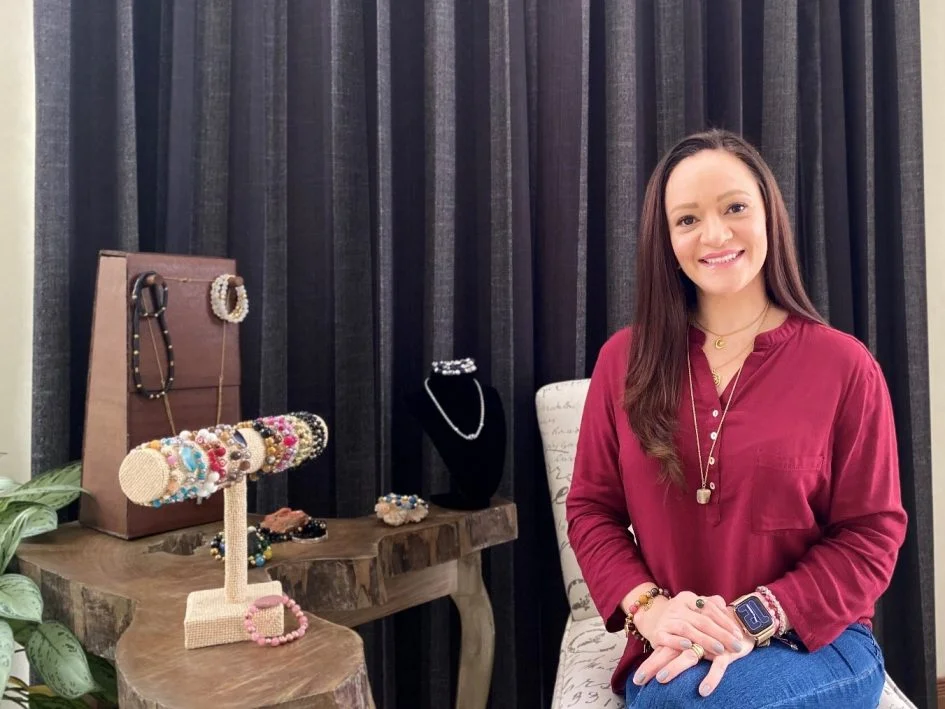
              Soy Jacqueline, y Romaja nació de mi pasión por crear con las manos. Empecé tejiendo para mí misma, y poco a poco fui descubriendo que cada pieza que hacía tenía algo especial: la huella de quien la crea y la personalidad de quien la usa.
            </p>
            <p style={{ fontSize: 14, lineHeight: 1.9, color: T.mid, marginBottom: 16 }}>
              Hoy Romaja es un pequeño emprendimiento 100% costarricense donde combino el crochet artesanal con bisutería hecha a mano. Uso materiales de calidad y trabajo con mucho cuidado para que cada pieza sea duradera y única.
            </p>
            <p style={{ fontSize: 14, lineHeight: 1.9, color: T.mid }}>
              Si estás aquí, gracias por apoyar lo hecho a mano. Significa muchísimo. 🌿
            </p>
          </div>
          <div style={{ borderRadius: 2, overflow: "hidden", minHeight: isMobile ? 260 : 480 }}>
            <img src="/uploads/jacque.jpg" alt="Jacqueline" style={{ width: "100%", height: "100%", objectFit: "cover", display: "block" }} />
          </div>
        </div>

        {/* Valores */}
        <div style={{ background: T.bgSoft, padding: isMobile ? "36px 20px" : "60px 48px", borderRadius: 2, marginBottom: isMobile ? 40 : 80 }}>
          <SectionHeader eyebrow="Lo que nos mueve" title="Nuestros valores" center />
          <div style={{ display: "grid", gridTemplateColumns: isMobile ? "1fr" : "repeat(3, 1fr)", gap: isMobile ? 28 : 40, maxWidth: 900, margin: "0 auto" }}>
            {[
              { icon: "✂️", title: "100% Artesanal", desc: "Cada pieza es tejida o ensamblada a mano, con dedicación y paciencia." },
              { icon: "🌿", title: "Materiales de calidad", desc: "Usamos hilos, piedras y metales seleccionados cuidadosamente." },
              { icon: "💛", title: "Hecho con amor", desc: "Detrás de cada pieza hay horas de trabajo y mucho cariño." },
            ].map(v => (
              <div key={v.title} style={{ textAlign: "center" }}>
                <div style={{ fontSize: 32, marginBottom: 12 }}>{v.icon}</div>
                <div style={{ fontFamily: "'DM Serif Display', serif", fontSize: 18, color: T.dark, marginBottom: 8 }}>{v.title}</div>
                <div style={{ fontSize: 13, color: T.mid, lineHeight: 1.75 }}>{v.desc}</div>
              </div>
            ))}
          </div>
        </div>

        <div style={{ textAlign: "center" }}>
          <button onClick={() => navigate("/tienda")} style={{ background: T.primary, color: "#fff", border: "none", padding: "14px 36px", fontSize: 12, letterSpacing: "0.14em", textTransform: "uppercase", cursor: "pointer", fontFamily: "'Lato', sans-serif", borderRadius: 2 }}>
            Ver la Tienda
          </button>
        </div>
      </div>
    </div>
  );
};

/* ══════════ CONTACTO ══════════ */
const PageContacto = () => {
  const isMobile = useMobile();
  return (
  <div style={{ background: T.bg }}>
    <div style={{ maxWidth: 800, margin: "0 auto", padding: isMobile ? "28px 16px" : "64px 32px" }}>
      <Breadcrumb items={[{ label: "Inicio", path: "/" }, { label: "Contacto" }]} />
      <SectionHeader eyebrow="Hablemos" title="¿Cómo podemos ayudarte?" />

      <div style={{ display: "grid", gridTemplateColumns: isMobile ? "1fr" : "1fr 1fr", gap: isMobile ? 16 : 32, marginBottom: isMobile ? 24 : 48 }}>
        {[
          { icon: "💬", title: "WhatsApp", desc: "La forma más rápida de contactarnos. Respondemos todos los días.", action: "Escribirnos", link: WHATSAPP_LINK, color: "#25D366" },
          { icon: "📸", title: "Instagram", desc: "Mirá nuestras novedades y escribinos por DM.", action: "Ver @romajacr", link: "https://instagram.com/romajacr", color: "#E1306C" },
        ].map(c => (
          <div key={c.title} style={{ background: T.card, border: `1px solid ${T.border}`, padding: isMobile ? "24px 20px" : "32px", borderRadius: 2 }}>
            <div style={{ fontSize: 28, marginBottom: 12 }}>{c.icon}</div>
            <div style={{ fontFamily: "'DM Serif Display', serif", fontSize: 20, color: T.dark, marginBottom: 8 }}>{c.title}</div>
            <p style={{ fontSize: 13, color: T.mid, lineHeight: 1.75, marginBottom: 20 }}>{c.desc}</p>
            <a href={c.link} target="_blank" rel="noreferrer"
              style={{ display: "inline-block", background: c.color, color: "#fff", padding: "10px 22px", borderRadius: 2, fontSize: 11, textDecoration: "none", letterSpacing: "0.1em", textTransform: "uppercase" }}>{c.action}</a>
          </div>
        ))}
      </div>

      <div style={{ background: T.bgSoft, padding: isMobile ? "24px 20px" : "32px 40px", borderRadius: 2 }}>
        <div style={{ fontFamily: "'DM Serif Display', serif", fontSize: 20, color: T.dark, marginBottom: 16 }}>Información útil</div>
        <div style={{ display: "grid", gridTemplateColumns: isMobile ? "1fr" : "1fr 1fr", gap: isMobile ? 12 : 16, fontSize: 13, color: T.mid, lineHeight: 1.8 }}>
          <div>📱 <strong>Teléfono / Sinpe:</strong><br />6059-8892</div>
          <div>⏰ <strong>Horario de atención:</strong><br />Lunes a sábado, 8am – 8pm</div>
          <div>🚚 <strong>Envíos:</strong><br />Todo Costa Rica — coordinamos por WhatsApp</div>
          <div>💳 <strong>Pagos:</strong><br />Sinpe Móvil — fácil y seguro</div>
        </div>
      </div>
    </div>
  </div>
  );
};

/* ══════════ FAQ ══════════ */
const FaqItem = ({ q, a }) => {
  const [open, setOpen] = React.useState(false);
  return (
    <div style={{ borderBottom: `1px solid ${T.border}` }}>
      <button onClick={() => setOpen(!open)} style={{ width: "100%", background: "none", border: "none", textAlign: "left", padding: "20px 0", display: "flex", justifyContent: "space-between", alignItems: "center", cursor: "pointer" }}>
        <span style={{ fontFamily: "'DM Serif Display', serif", fontSize: 17, color: T.dark }}>{q}</span>
        <span style={{ color: T.primary, fontSize: 20, transition: "transform 0.2s", transform: open ? "rotate(45deg)" : "none", flexShrink: 0 }}>+</span>
      </button>
      {open && <div style={{ fontSize: 13, lineHeight: 1.85, color: T.mid, paddingBottom: 20 }}>{a}</div>}
    </div>
  );
};

const PageFAQ = () => {
  const faqs = [
    { q: "¿Cómo hago un pedido?", a: "Agregá los productos que te gusten al carrito, luego completá tu información en el checkout. Una vez que tengás el resumen, hacés el Sinpe Móvil y nos mandás el comprobante por WhatsApp. ¡Así de fácil!" },
    { q: "¿Cuál es el número de Sinpe Móvil?", a: `El número de Sinpe Móvil es ${SINPE_NUMBER}, a nombre de ${SINPE_NAME}. Siempre confirmá el nombre antes de transferir.` },
    { q: "¿Hacen pedidos personalizados?", a: "¡Sí! Podés escribirnos por WhatsApp para coordinar una pieza personalizada con los colores, materiales o diseño que vos quieras. Los pedidos especiales tienen un tiempo de entrega de 1 a 2 semanas según la complejidad." },
    { q: "¿Cómo son los envíos?", a: "Coordinamos el envío directamente por WhatsApp. Trabajamos con Correos de Costa Rica y mensajería según tu ubicación. El costo de envío se define según la zona." },
    { q: "¿Cuánto tarda en llegar mi pedido?", a: "Una vez confirmado el pago, preparamos tu pedido en 1-3 días hábiles. El envío depende del servicio de mensajería, generalmente entre 1-4 días hábiles adicionales." },
    { q: "¿Puedo cambiar o devolver un producto?", a: "Aceptamos cambios dentro de los 7 días después de recibido el pedido si el producto presenta algún defecto de fabricación. Los pedidos personalizados no aplican para devolución. Escribinos al WhatsApp para coordinar." },
    { q: "¿Las piezas son realmente hechas a mano?", a: "¡100%! Cada pieza de crochet es tejida a ganchillo, y cada accesorio de bisutería es ensamblado a mano. No manejamos productos de fábrica." },
    { q: "¿Puedo ver los productos antes de comprar?", a: "Podés escribirnos al WhatsApp para ver más fotos o videos de un producto específico. También seguinos en @romajacr en Instagram donde publicamos constantemente." },
  ];

  const isMobile = useMobile();
  return (
    <div style={{ background: T.bg }}>
      <div style={{ maxWidth: 760, margin: "0 auto", padding: isMobile ? "28px 16px" : "64px 32px" }}>
        <Breadcrumb items={[{ label: "Inicio", path: "/" }, { label: "Preguntas Frecuentes" }]} />
        <SectionHeader eyebrow="FAQ" title="Preguntas Frecuentes" />
        <div>{faqs.map((f, i) => <FaqItem key={i} q={f.q} a={f.a} />)}</div>
        <div style={{ background: T.bgSoft, padding: isMobile ? "24px 20px" : "32px", borderRadius: 2, marginTop: 48, textAlign: "center" }}>
          <div style={{ fontFamily: "'DM Serif Display', serif", fontSize: 20, color: T.dark, marginBottom: 8 }}>¿Tenés otra pregunta?</div>
          <p style={{ fontSize: 13, color: T.mid, marginBottom: 20 }}>Escribinos por WhatsApp y te respondemos rápido.</p>
          <a href={WHATSAPP_LINK} target="_blank" rel="noreferrer"
            style={{ display: "inline-flex", alignItems: "center", gap: 8, background: "#25D366", color: "#fff", padding: "11px 24px", borderRadius: 2, fontSize: 11, textDecoration: "none", letterSpacing: "0.12em", textTransform: "uppercase" }}>
            <svg width="14" height="14" viewBox="0 0 24 24" fill="currentColor"><path d="M17.472 14.382c-.297-.149-1.758-.867-2.03-.967-.273-.099-.471-.148-.67.15-.197.297-.767.966-.94 1.164-.173.199-.347.223-.644.075-.297-.15-1.255-.463-2.39-1.475-.883-.788-1.48-1.761-1.653-2.059-.173-.297-.018-.458.13-.606.134-.133.298-.347.446-.52.149-.174.198-.298.298-.497.099-.198.05-.371-.025-.52-.075-.149-.669-1.612-.916-2.207-.242-.579-.487-.5-.669-.51-.173-.008-.371-.01-.57-.01-.198 0-.52.074-.792.372-.272.297-1.04 1.016-1.04 2.479 0 1.462 1.065 2.875 1.213 3.074.149.198 2.096 3.2 5.077 4.487.709.306 1.262.489 1.694.625.712.227 1.36.195 1.871.118.571-.085 1.758-.719 2.006-1.413.248-.694.248-1.289.173-1.413-.074-.124-.272-.198-.57-.347m-5.421 7.403h-.004a9.87 9.87 0 01-5.031-1.378l-.361-.214-3.741.982.998-3.648-.235-.374a9.86 9.86 0 01-1.51-5.26c.001-5.45 4.436-9.884 9.888-9.884 2.64 0 5.122 1.03 6.988 2.898a9.825 9.825 0 012.893 6.994c-.003 5.45-4.437 9.884-9.885 9.884m8.413-18.297A11.815 11.815 0 0012.05 0C5.495 0 .16 5.335.157 11.892c0 2.096.547 4.142 1.588 5.945L.057 24l6.305-1.654a11.882 11.882 0 005.683 1.448h.005c6.554 0 11.89-5.335 11.893-11.893a11.821 11.821 0 00-3.48-8.413z"/></svg>
            Contactar por WhatsApp
          </a>
        </div>
      </div>
    </div>
  );
};

Object.assign(window, { PageHome, PageTienda, PageProducto, PageSobreMi, PageContacto, PageFAQ });